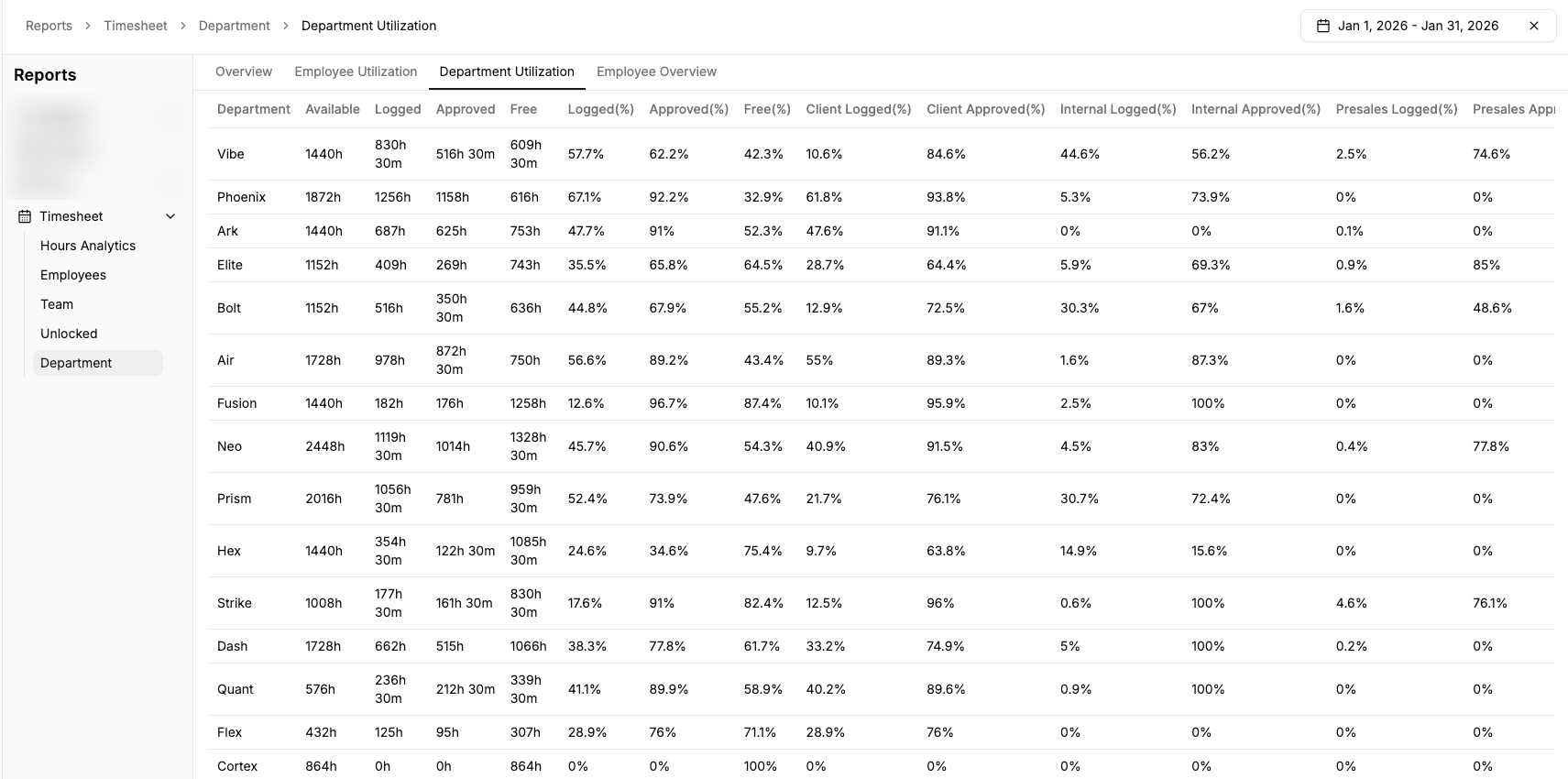
📊 New Report Added: Department Utilization
New Feature
Announcement
We’ve added a new Department Utilization report in Everest to give better visibility into how time is being utilized at a department level.
Where to find it:Reports → Timesheet → Department → Department Utilization
What this report shows:
- Available, Logged, Approved, and Free hours per department
- Utilization percentages (Logged %, Approved %, Free %)
- Split between Client, Internal, and Presales hours
- Clear comparison to identify under- or over-utilization trends
This report is useful for:
- Capacity planning
- Department-level performance tracking
- Identifying free bandwidth for upcoming work
Please review and use this report for planning and decision-making. If you notice any discrepancies or have improvement suggestions, feel free to share them.